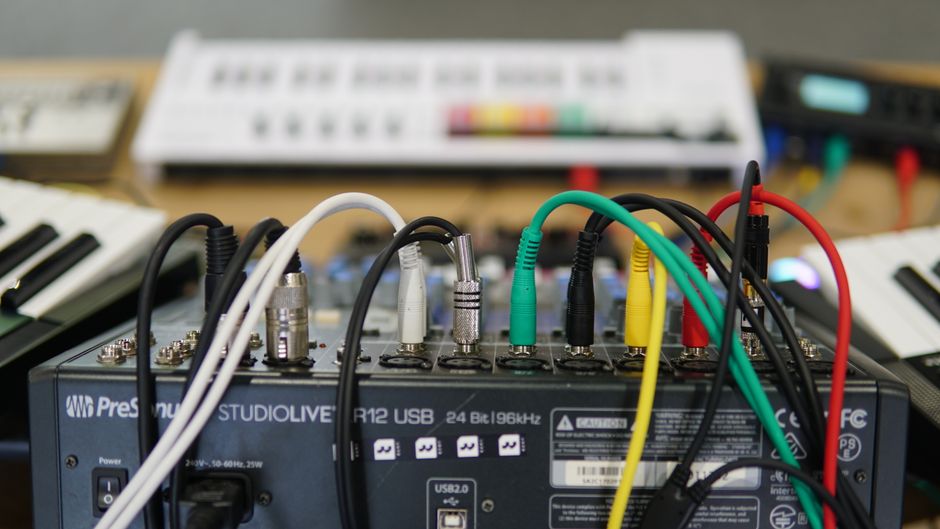
The moment you own two pieces of hardware, you have a new problem: keeping them in time. Sync is the least glamorous part of a dawless setup and the part that most often goes wrong. This guide explains the main ways gear stays locked together and how to set them up.
Why one box has to be the boss
Everything comes down to a single rule: one device is the clock leader, and every other device follows it. The leader sends out a steady stream of timing pulses, and the followers step in sync with them. If you accidentally set two boxes to lead, they drift apart and the groove falls to pieces. Pick your main sequencer as the leader and set everything else to follow.
MIDI clock: the common language
The most widespread method is MIDI clock. Most sequencers and grooveboxes with a MIDI output can send it, and most with a MIDI input can follow it. MIDI clock carries the tempo as 24 pulses per quarter note, along with start, stop and continue messages so your followers begin and end together.
To set it up, run a MIDI cable from the output of your leader to the input of your follower. On the leader, enable sending clock. On the follower, set it to receive external clock or external sync, so it stops using its own tempo and locks to the incoming pulses. Press play on the leader and both should start as one. To chain a third device, use MIDI thru so the clock passes along the line.
A common gotcha: many boxes ship set to their own internal clock, so a new follower will ignore the leader until you switch it to external sync. If a device plays but at the wrong tempo, this setting is almost always why.
Analog clock and DIN sync: the older way
Some drum machines and modular gear predate MIDI or sit outside it. They use simple electrical pulses instead. Analog clock sends a series of voltage pulses, and the older DIN sync standard sends clock and start signals over a dedicated cable. Modular systems typically run on analog clock and gates, which are just on-and-off pulses.
The catch is that different machines expect a different number of pulses per step, so a plain MIDI-to-clock converter has to be told which rate your gear wants. When analog gear will not stay in time, a mismatched pulse rate is the usual culprit.
Ableton Link: sync over the network
If a computer, phone or tablet is part of your setup, Ableton Link keeps compatible apps and some hardware in time over a wired or wireless network, with no leader to choose. Every device on the same network shares one tempo and can join or leave without stopping the music. Many standalone grooveboxes, including the Akai MPC line, support Link, which makes it an easy way to jam a hardware box alongside software.
Bridging clock types with an interface
Real setups often mix all of the above: a MIDI groovebox, an analog drum machine and a modular rack. A clock interface or a sync box translates between the formats, taking MIDI clock in and putting analog pulses and gates out, or the reverse. Ableton’s CV Tools can even make the software the clock source for a modular system through a DC-coupled audio interface. Our guide to integrating hardware with Ableton Live goes deeper into that route.
A checklist that always works
- Decide which box is the leader. Usually your main sequencer.
- Set every other box to follow external clock or external sync.
- Wire the outputs to the inputs, using MIDI thru or a clock box to reach a third device.
- Press play on the leader only, and check that everything starts together and stays locked after a minute.
Once sync is solid you stop thinking about it, and that is the goal. A rig that always starts in time is a rig you actually want to switch on, which is how more tracks get finished.
Last fact-checked: 14 October 2026