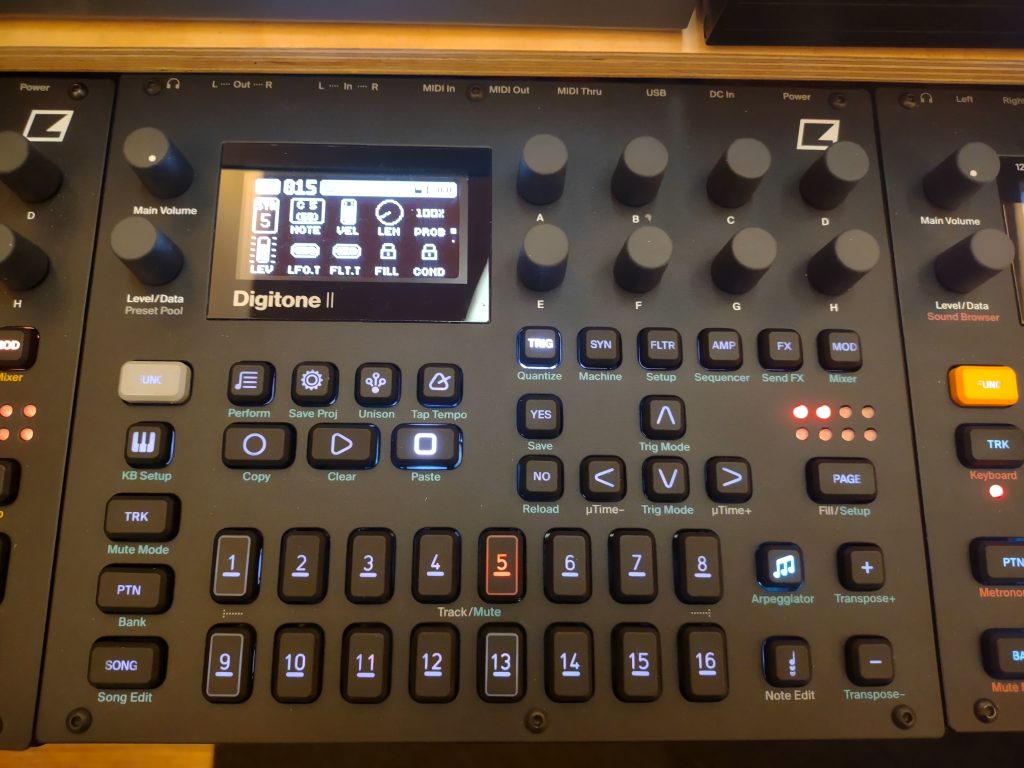
Ask what Overbridge is on a forum and you get ten answers, most of them about machines you do not own. The short version: Overbridge is free software from Elektron that carries multichannel audio and full parameter control between a supported Elektron machine and your computer, down the single USB cable already sitting on your desk. This guide covers what it gives you, which machines Elektron lists, how to switch it on, and where an audio interface still belongs in the setup.
What Overbridge gives you
With Overbridge running, your machine appears in your DAW as a plugin, and its tracks arrive as separate audio inputs instead of one stereo mix. On a Digitakt II, all 16 tracks land in the DAW as their own stereo pairs, alongside the main mix and the delay, reverb and chorus returns. Control runs both ways: knobs on the machine move the plugin, the plugin moves the machine, any parameter can be automated, and the plugin stores the full state of the device with your project so it comes back exactly as you left it.
One USB cable carries all of it, audio and control together. The other route, where your gear leaves through its outputs and reaches the computer as analog audio, is the subject of our guide to integrating hardware with Ableton Live. Overbridge is the shortcut around that wiring, for the machines that support it.
Which Elektron machines support Overbridge
Elektron currently sells six instruments with the feature: Syntakt, Digitakt II, Digitone II, Analog Rytm MKII, Analog Heat +FX and Analog Four MKII. Elektron’s Overbridge page features five of them, but the supported list runs longer still, because Overbridge also covers machines Elektron has stopped making. That list lives on the Overbridge download page, together with the firmware each machine needs. Checked there on 17 August 2026:
| Machine | Supported from device OS |
|---|---|
| Analog Four MKI/MKII | 1.52 |
| Analog Keys | 1.51 |
| Analog Rytm MKI/MKII | 1.71 |
| Analog Heat MKI/MKII | 1.22 |
| Analog Heat +FX | 1.02 |
| Digitakt | 1.52 |
| Digitakt II | 1.15 |
| Digitone and Digitone Keys | 1.42 |
| Digitone II | 1.10 |
| Syntakt | 1.40 |
If your machine is missing from that table, no version of Overbridge will find it, and no menu setting will change that. Still choosing your first box? Our guide to which Elektron box to start with compares the current lineup.
The machines Elektron does not list
Two absences catch people out. The first is the Octatrack MKII. Its specification page, under Miscellaneous, carries neither the line “Overbridge enabled” nor the line “Class-compliant USB audio” that the six Overbridge machines have there, and the Octatrack appears neither on the Overbridge download page nor in the Overbridge manual. It does have a Hi-Speed USB 2.0 port, but its sound leaves through the main and cue outputs, so Elektron’s flagship sampler still needs an audio interface to get into a computer.
The second is the Model series. Model:Cycles and Model:Samples both list class-compliant USB audio, and that is a different feature: your computer recognizes the box as a USB audio device without any driver install. Neither carries the Overbridge line, so there is no plugin, no track-by-track streaming and no parameter control from the computer. Class-compliant audio and Overbridge are not two words for the same thing, and reading one as the other is where most of the forum confusion starts.
Switching it on, step by step
- Update the machine. Install the latest OS for your device from Elektron’s support pages, and check it against the table above. Elektron expects the device OS and the Overbridge install to match.
- Install Overbridge. Download it from the Overbridge download page. Unplug your Elektron machines before you run the installer, and restart the computer afterwards.
- Choose Overbridge mode on the device. Go to (GLOBAL) SETTINGS, then SYSTEM, then USB CONFIG, and select OVERBRIDGE.
- Connect the cable. An A-to-B USB cable, into its own port on the computer where possible.
- Open the Control Panel. On an Analog Keys, Analog Four MKI or Analog Rytm MKI, switch on the input and output channels you want and press Apply. Newer machines skip this step.
- Open the plugin. Load the Overbridge plugin for your device in your DAW and route its channels to tracks.
What your computer needs
Elektron lists macOS 11 or later and Windows 10 or later, an Intel Core i5 or better, 8 GB of RAM, a GPU capable of OpenGL 3.2, a display of at least 1280 x 768, and 250 MB of free disk space. Ultra-low-power laptop processors are singled out as not recommended. On the software side, Elektron names Ableton Live 11, Logic X, Bitwig Studio 5 and Studio One 6 as its recommended hosts, and other DAWs are supported unevenly.
When you still need an audio interface
Overbridge covers supported Elektron machines and nothing else, so an interface stays in the room if any of this applies:
- You play a machine Elektron does not list, such as the Octatrack MKII or either Model box.
- You record anything that is not an Elektron machine, whether that is another brand’s synth, a guitar or a microphone.
- You want one place where the whole room meets the computer. Overbridge streams the Elektron machines and leaves everything else to find its own way in.
With one supported machine, though, you may not need an interface at all. Elektron builds audio drivers into the suite and offers the machine itself as your sound card, which for a single-box setup is the entire job. For a rig that mixes brands, our guide to building a dawless setup covers the wiring.
Mistakes that cost an evening
- The machine is still in USB MIDI mode. Overbridge is one of the choices in USB CONFIG, not an addition to them, and picking USB MIDI or USB AUDIO/MIDI again is how you turn Overbridge back off.
- The versions do not match. Overbridge warns when the device OS and the software are out of step, and the fix is to update both rather than to hunt for a setting.
- Another program has taken port 46000. Overbridge Engine uses that port to talk to the computer, and every connected machine claims three more. When one is occupied, the device shows up in Engine and then refuses to connect.
- Everything hangs off one cheap hub. Elektron prefers a dedicated USB port per machine. An Analog Keys, Analog Four MKI or Analog Rytm MKI is a full-speed device sharing 12 Mbit/s, and Elektron calls for a multiple transaction translator hub so each one gets that bandwidth to itself.
Frequently asked questions
Do I need a DAW to run Overbridge?
No. Every Overbridge plugin also ships as a stand-alone program with recording built in, so you can edit a machine and multitrack it straight to disk without opening a DAW.
Can I send computer audio into the machine?
Yes. The plugins carry inputs as well as outputs, so a track from your DAW can run through the machine’s filters and effects. On an Analog Four or Analog Rytm you have to trigger the voice you route into, because the sound only passes while the envelope is open. Digitakt and Digitone handle incoming audio differently and need no trigger.
Does Overbridge run natively on Apple Silicon?
Yes. Elektron states that the current release runs natively on Apple Silicon Macs.
Last fact-checked: 17 August 2026. Last updated: 24 August 2026